Audio Interface vs Sound Card
Updated Nov 13, 2026 · By  Jonah Mercer · Editorial policy
As an Amazon Associate I earn from qualifying purchases. Buying through the Amazon links on this page costs you nothing extra. Full disclosure
An audio interface is an external box that connects a microphone or instrument to a computer over USB and converts the signal for recording. A sound card sits inside the computer and handles playback to speakers and headphones. If you record vocals, guitar, or a podcast, an interface is the tool; a sound card covers listening and computer audio.
What an audio interface does
An audio interface is an external device that plugs into a computer over USB. It gives you an XLR input for a microphone, a 1/4-inch input for a guitar or bass, and 48V phantom power for a condenser microphone. It turns the analog signal from the mic or instrument into digital audio the computer can record, and it sends playback back out to headphones or speakers.
What a sound card does
A sound card lives inside the computer, either built into the motherboard or fitted as an internal card. It handles playback, sending audio to speakers or headphones through 3.5mm jacks. Its job is listening, not recording.
Pick the interface when you record
Choose an audio interface when you record a microphone or an instrument. Count the inputs you need: 1 XLR input covers a microphone, while 2 inputs let you record a mic and a guitar at the same time. A condenser microphone needs 48V phantom power, so check that the interface supplies it. A headphone output lets you hear the recording as you make it.
Keep the sound card for listening
Keep the sound card when all you do is listen. Music, films, and calls play through the sound card to speakers or headphones without any extra device. You do not need an interface, an XLR cable, or phantom power for playback alone. Add an interface later if you start recording a microphone or an instrument.
Connect an interface in order
Plug the interface into the computer with its USB cable, then connect the microphone to the XLR input with an XLR cable. Turn the gain down, switch 48V on only if the microphone is a condenser, then raise the gain until the level sits where you want it. Plug headphones into the interface output and pick the interface as the input and output device in your recording software.
What you need
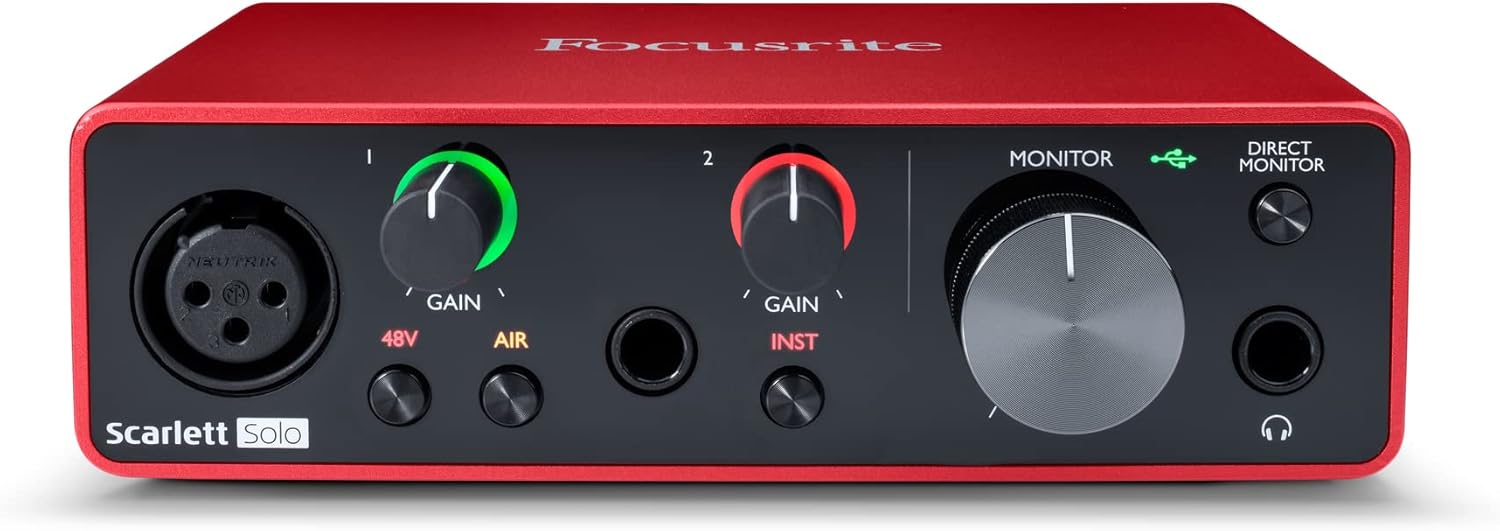
Focusrite Scarlett Solo 3rd Gen USB-C Audio
A USB-C interface with 1 XLR mic preamp, 1 Hi-Z instrument input, 24-bit/192kHz recording, a 56dB gain range, and Air mode for a mic and guitar setup.
- Inputs: 2
- Mic preamps: 1
- Max sample rate: 192 kHz
- Bit depth: 24-bit
- Software named in listing: Pro Tools Intro
- 3-year warranty stated

MOTU M2 USB-C Audio Interface
A USB-C interface with 2 mic preamps, 24-bit/192kHz recording, LCD meters for all inputs and outputs, and MIDI in and out for a two-mic setup.
- Inputs: 2
- Mic preamps: 2, the most here
- Outputs: 2
- Max sample rate: 192 kHz
- Bit depth: 24-bit
- 2-year warranty stated
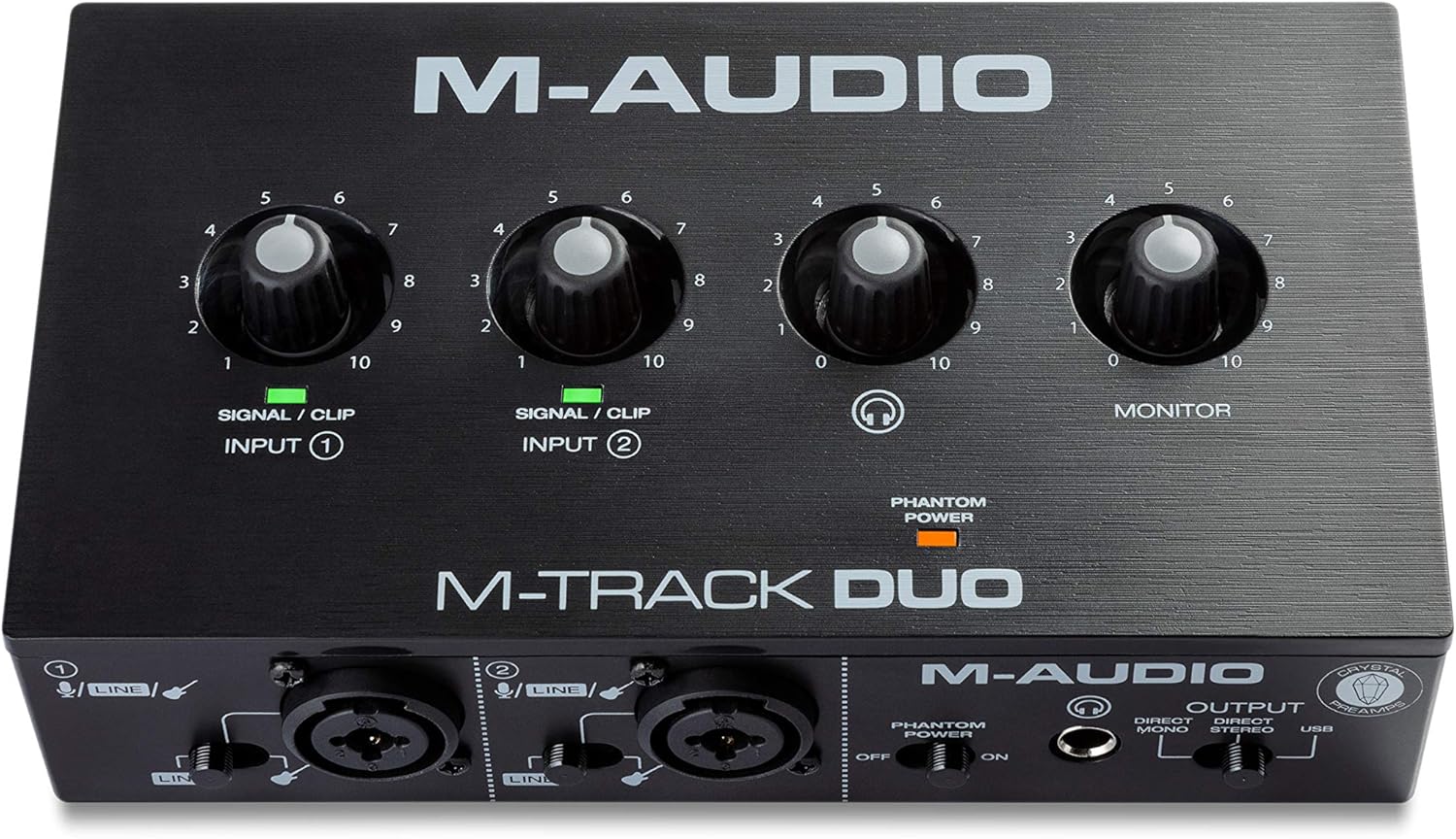
M-AUDIO M-Track Duo USB Audio Interface Dual
A USB interface with dual XLR, line and DI inputs, 48V phantom power, 48kHz recording, and a 0.7 lb body for recording, streaming, and podcasting.
- Inputs: 2
- Max sample rate: 48 kHz
- 48V phantom power
- Software named in listing: Ableton Live Lite
- 0.7 lb, the lightest here

Focusrite Scarlett Solo 4th Gen USB-C Audio
A USB-C interface with 1 XLR mic preamp, 1 Hi-Z instrument input, 24-bit/192kHz recording, a 120dB dynamic range, and Air modes for vocals and guitar.
- Inputs: 2
- Mic preamps: 1
- Max sample rate: 192 kHz
- Bit depth: 24-bit
- Software named in listing: Pro Tools Intro
These come from our ranked list Best Audio Interface, which compares them spec by spec.
Frequently asked questions
Can a sound card record a microphone?
A microphone with an XLR connection needs an audio interface to reach the computer.
Do I need an interface for a podcast?
It depends on the microphone. An XLR microphone needs an audio interface, while a USB microphone plugs straight into the computer and needs no interface at all.
Can I use an interface and a sound card together?
Yes. Use the interface for the microphone input and the sound card for playback, and pick each one in your software settings. Keep the interface connected while you record so the input stays live.
Ranked audio interfaces lists
More how-to guides
Product details come from each Amazon listing and can change. Check the listing before you buy.