How to Use a Pop Filter
Updated Nov 12, 2026 · By  Jonah Mercer · Editorial policy
As an Amazon Associate I earn from qualifying purchases. Buying through the Amazon links on this page costs you nothing extra. Full disclosure
A pop filter is a screen that sits between your mouth and the microphone to spread the burst of air from consonants like P and B. Clip it to the mic stand and set the screen in front of the microphone.
Clip the filter to the mic stand
Start with the clamp. The NEEWER and Golden Pearl filters use an adjustable clamp that fixes to a mic stand, and the YOUSHARES uses an L-style swivel clip that mounts to a microphone stand or a Blue Yeti microphone. Tighten the clamp so the filter stays in place when you move it. The SAMSON has a universal mic stand adapter. Leave the gooseneck loose until the clamp is secure.
Set the screen in front of the microphone
Bend the gooseneck so the screen sits between your mouth and the microphone, with the microphone behind the screen. The YOUSHARES, NEEWER, SAMSON and Golden Pearl filters all have a flexible gooseneck you can adjust to any angle. Aim the screen so your voice passes through it and the burst of air from P and B sounds hits the screen first. Keep the screen flat and facing you, not tilted away from the microphone.
Use the dual layers to stop plosives
Each pick has a dual-layer screen. That is how the filter handles the popping sound from P and B and the hissing sound from S. The YOUSHARES adds two layers of high-density windproof sponge inside its double metal mesh, and a foam windscreen is part of the same pack.
Check the sound and adjust the placement
Record a few words that start with P and B, then listen back for the popping sound. If the pops are still there, move the screen closer to the microphone or change its angle with the gooseneck, then record again. Wipe the screen with a soft dry cloth when dust collects on it, and store the filter with the gooseneck straight.
What you need

YOUSHARES Blue Yeti Pop Filter Foam Windscreen
A 5.5-inch pop filter with six layers, a double metal mesh and a 360-degree adjustable gooseneck, made for the Blue Yeti microphone.
- Dual layer screen
- Metal mesh
- Gooseneck

NEEWER Professional Microphone Pop Filter Shield Compatible
A dual-layer pop filter with a flexible 360-degree gooseneck and a rotating clamp that fits mic stands and tubular mounting booms.
- Dual layer screen
- Gooseneck

SAMSON PS04 Microphone Pop Filter Restock Deal
A dual-layer 4.75-inch nylon mesh screen with a flexible 8-inch gooseneck and a universal mic stand adapter.
- Dual layer screen
- Gooseneck
- 1-year warranty stated
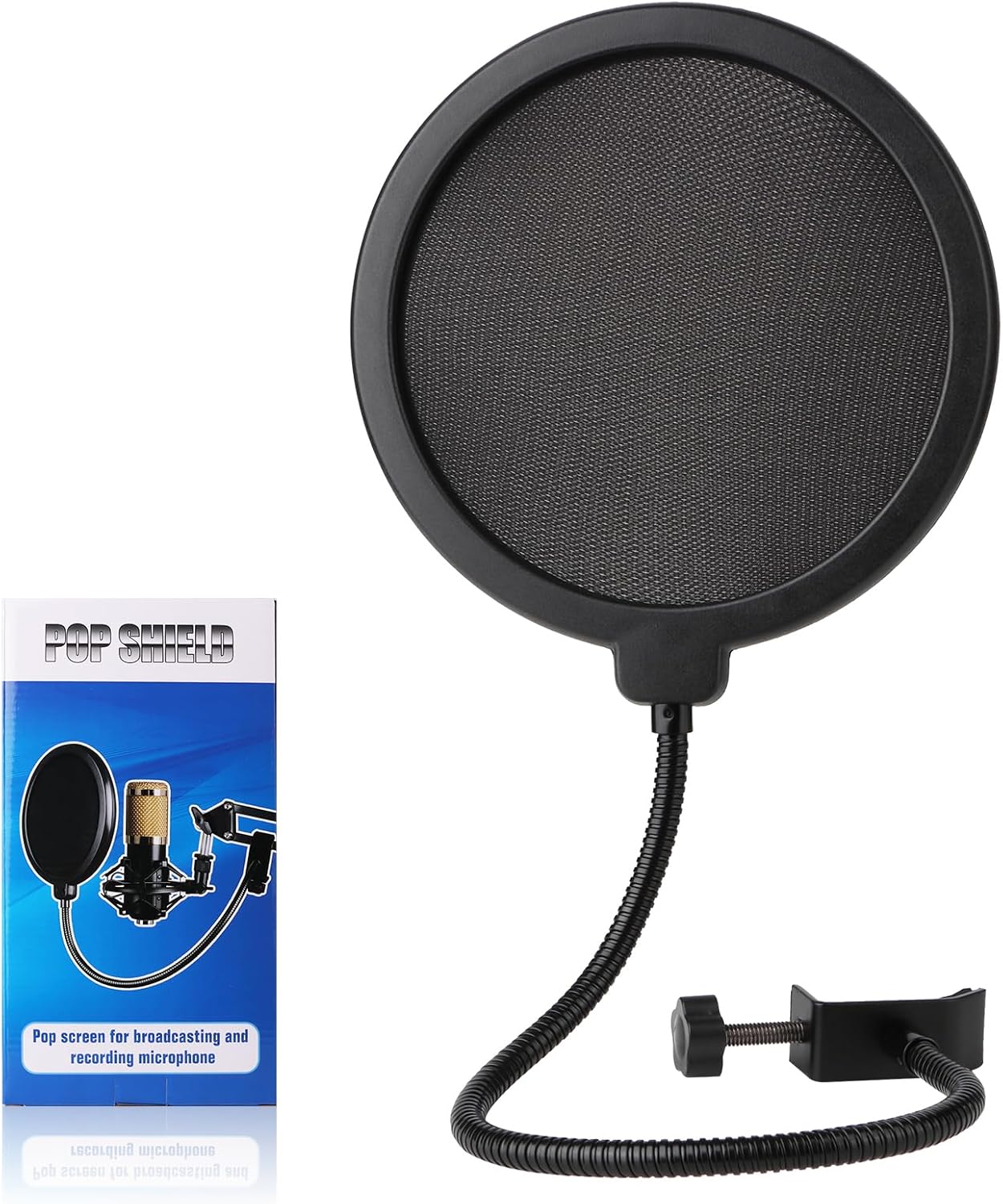
Golden Pearl Professional Microphone Pop Filter Shield
A dual-layer pop filter with a flexible 360-degree gooseneck and an adjustable clamp that fixes to any mic stand.
- Dual layer screen
- Gooseneck
These come from our ranked list Best Pop Filter, which compares them spec by spec.
Frequently asked questions
Do I need a pop filter for a USB microphone?
Yes, if your recordings pick up popping sounds from P and B. The YOUSHARES filter is made for the Blue Yeti, and the NEEWER and Golden Pearl filters also list the Blue Yeti among the microphones they fit.
Where does the pop filter go?
Between your mouth and the microphone, with the microphone behind the screen. Clip it to the mic stand, bend the gooseneck to set the screen in place, and speak or sing through the screen.
Can one pop filter fit different microphones?
The NEEWER clamp fits tubular mounting booms and microphone stands, the Golden Pearl clamp fixes to any mic stand, and the SAMSON has a universal mic stand adapter. Check the clamp against your own stand before you buy.
Ranked pop filters lists
More how-to guides
Product details come from each Amazon listing and can change. Check the listing before you buy.