How to Connect a Wireless Mic to a Phone
Updated Nov 13, 2026 · By  Jonah Mercer · Editorial policy
As an Amazon Associate I earn from qualifying purchases. Buying through the Amazon links on this page costs you nothing extra. Full disclosure
Plug the receiver into the phone port, switch the transmitter on and let it pair, then record in the camera or recording app. The kits here connect through a USB-C or Lightning receiver, with no cables between the mic and the phone. Check the port on the phone first, since USB-C and Lightning receivers are not interchangeable.
Match the receiver to the phone port
A wireless mic kit connects through a small receiver that plugs into the phone. The Hollyland Lark A2 Solo kit includes a USB-C receiver for iPhone 15, 16 and 17, iPad and Android phones. The Ecomxia kit uses a Lightning connector for iPhone and iPad. The Uewpv kit includes a USB-C receiver and a USB-C to Lightning adapter for iPhone 7 to 17 and iPad, and the FGRLJFGLK kit includes both Lightning and USB-C adapters. Check the port on the phone first, then pick the receiver or adapter that fits it.
Plug the receiver into the phone
Push the receiver into the phone port until it sits flush. The Uewpv receiver needs no charging of its own, and it can charge the phone during use. The Hollyland transmitters come pre-paired and ready to use out of the box, and the Ecomxia kit starts working in one second after the connector is plugged in. If the phone shows no input, unplug the receiver, plug it back in and check the port for lint or debris.
Turn on the transmitter and clip it on
Switch the transmitter on and wait for the pairing light to show it is linked to the receiver. The Hollyland Lark A2 weighs 8.5g and clips onto clothing, with one tap for noise cancellation, two taps to mute and three taps to start recording. The Uewpv kit has four LED indicators for pairing, mute, noise reduction and battery status. The FGRLJFGLK mic uses a magnetic clip that rotates 360 degrees and attaches in 3 seconds. Clip the mic to a shirt or collar, close to the mouth but clear of fabric that rubs.
Set the recording app to the mic
Open the camera or recording app and start a short clip, then play it back to check the sound comes from the mic. The Hollyland kit works with the HollyAudio app for AI Voice Tuning, EQ, compression and de-essing, and the FGRLJFGLK mic has real-time monitoring through a Type-C headphone jack. If the phone still records from its own mic, close the app, reopen it and check the input again. A few Android models may need the OTG function enabled in settings before pairing with the Uewpv kit.
Keep the mic charged for long sessions
Each transmitter runs on its own battery, so check the charge before a long recording. The Hollyland transmitter runs up to 7 hours, or up to 9 hours with AI Power Saving, and the charging case extends total battery life to 42 hours. The Ecomxia battery works up to 8 hours on a single charge of 2 hours. The Uewpv microphones run up to 14 hours when alternating two microphones, and the FGRLJFGLK mic runs 6 or more hours per mic with 1.5-hour fast charging.
What you need

Hollyland Lark A2 Solo(1TX+1USBC RX) Wireless Microphone
A USB-C receiver kit with 1 transmitter, 7 hours of use per charge and a 200m wireless range, with AI noise cancellation in 3 levels.
- Wireless range: 650 ft
- Battery life: 7 hr
- 1 year warranty stated
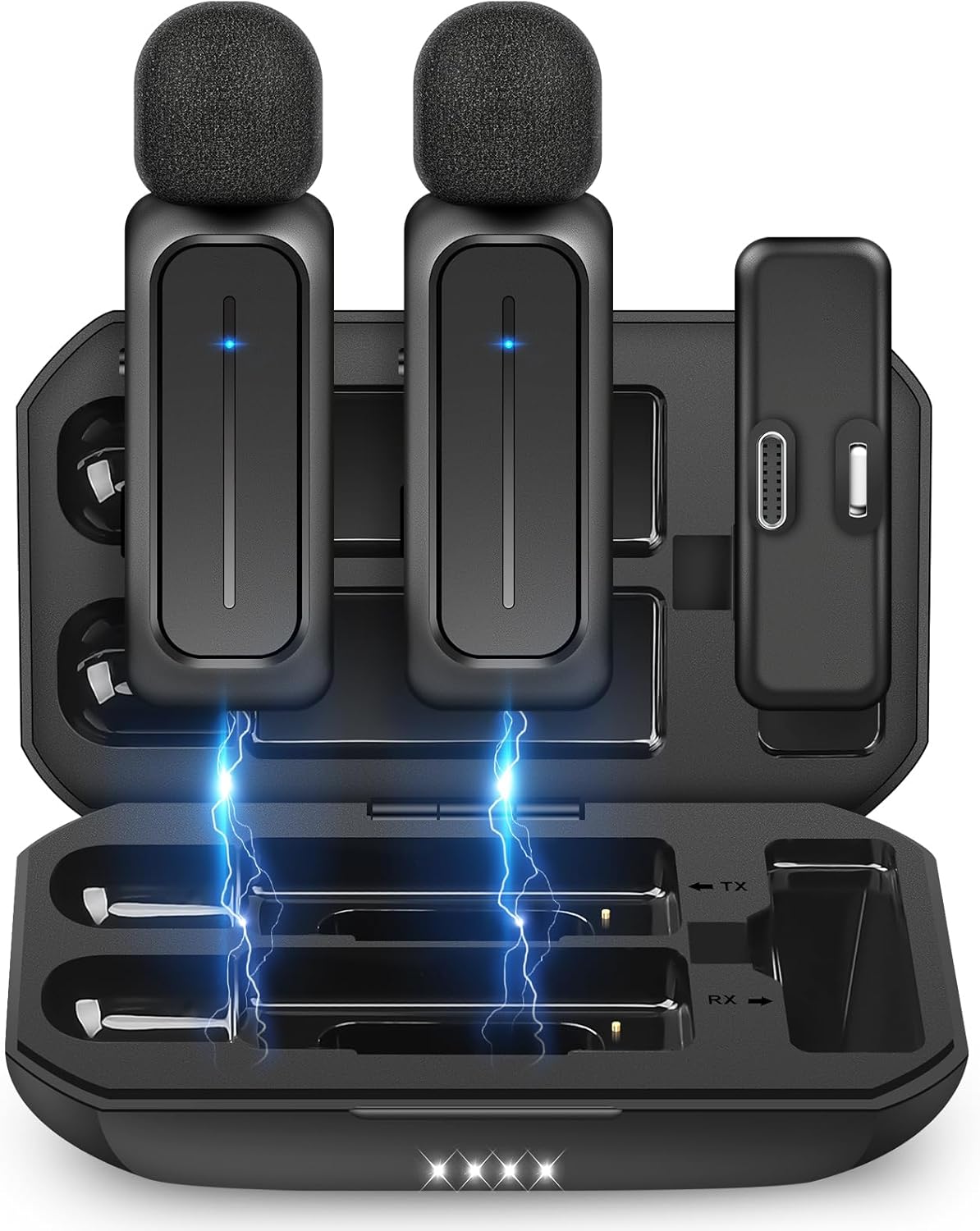
Ecomxia 2 Pcs Wireless Lavalier Microphone
A 2-mic Lightning kit with a charging case, 3 noise reduction modes and 8 hours of use, for two people recording at once.
- Wireless range: 70 ft
- Battery life: 8 hr
- 18-month warranty stated

Uewpv Wireless Mini Microphone for iPhone 15/16/17
A 2-mic USB-C kit with a Lightning adapter, 14 hours of use when alternating and a 65 ft range, with no app needed.
- Wireless range: 65 ft
- Battery life: 14 hr, the longest here
- Mics in the set: 2

FGRLJFGLK Magnetic Wireless Microphone for iPhone: Smart Noise
A dual-mic kit with Lightning and USB-C adapters, magnetic clips and 6 or more hours per mic, with one-click noise reduction.
- Battery life: 6 hr
These come from our ranked list Best Wireless Mic for Phone, which compares them spec by spec.
Frequently asked questions
Do I need Bluetooth to connect a wireless mic to a phone?
No. The kits here connect through a receiver that plugs into the phone port, not through Bluetooth. The Uewpv kit states no Bluetooth and no app are needed, and the FGRLJFGLK kit works without apps or Bluetooth pairing.
Can I use a wireless mic with an iPhone that has a Lightning port?
Yes. The Ecomxia kit uses a Lightning connector, and the Uewpv and FGRLJFGLK kits include Lightning adapters. The Hollyland kit uses a USB-C receiver, so it fits phones with a USB-C port.
How far from the phone can a wireless mic work?
The Hollyland kit reaches up to 200m, the Ecomxia kit up to 70ft and the Uewpv kit up to 65ft. Walls and other wireless signals can shorten the working distance, so stay in range while you record.
How do I charge a wireless microphone?
The transmitters run on rechargeable batteries and charge in their cases or over USB-C. The Hollyland case extends total battery life to 42 hours, and a 5-minute charge gives up to 1 hour of recording. The Ecomxia battery charges in 2 hours.
Ranked wireless microphones lists
More how-to guides
Product details come from each Amazon listing and can change. Check the listing before you buy.