How to Connect a Shure Microphone
Updated Nov 13, 2026 · By  Jonah Mercer · Editorial policy
As an Amazon Associate I earn from qualifying purchases. Buying through the Amazon links on this page costs you nothing extra. Full disclosure
To connect a Shure microphone, plug an XLR cable into the microphone's XLR output, then plug the other end into the XLR input on your mixer, interface, or preamp. Push each connector in until it locks, turn the input gain down before you switch anything on, then raise it slowly while you speak or sing into the mic.
Check the microphone's output connector
Look at the bottom of the Shure microphone for a 3-pin XLR output, the round connector with 3 pins. The cable you need has a female XLR plug on the microphone end and a male XLR plug on the other end. If the microphone has a USB output instead, it connects over USB, not with an XLR cable.
Plug the cable into the microphone
Line up the female XLR plug with the microphone's output and push it in until it seats. The connector has a latch that grips the microphone, so give it a gentle tug to check it holds. If the plug will not go in, turn it until the pins line up, and never force it.
Connect the other end to the mixer or interface
Plug the male XLR plug into the XLR input on your mixer, audio interface, or preamp, and push it in until it locks. The input is often marked mic or XLR, so check the label beside the socket before you plug in.
Set the gain before you make sound
Turn the input gain all the way down before you switch the mixer or interface on. Speak or sing into the microphone at a normal level and raise the gain slowly until the meter shows a healthy signal. If the sound distorts, turn the gain back down until it clears.
Check the connection if you hear nothing
If you hear nothing, check that the cable is seated at each end and that the input is not muted. Swap in a spare cable to rule out the cable, and check that the mixer channel is turned up. A cable that works in a different input points to the input, not the cable.
What you need

Cable Matters 2-Pack Premium XLR to XLR
A 2-pack of 15 ft XLR to XLR cables with 21 AWG oxygen-free copper conductors, copper braided shielding and heavy-duty metal connectors.
- Cables in pack: 2
- Oxygen-free copper
- Shielded
- Length: 15 ft
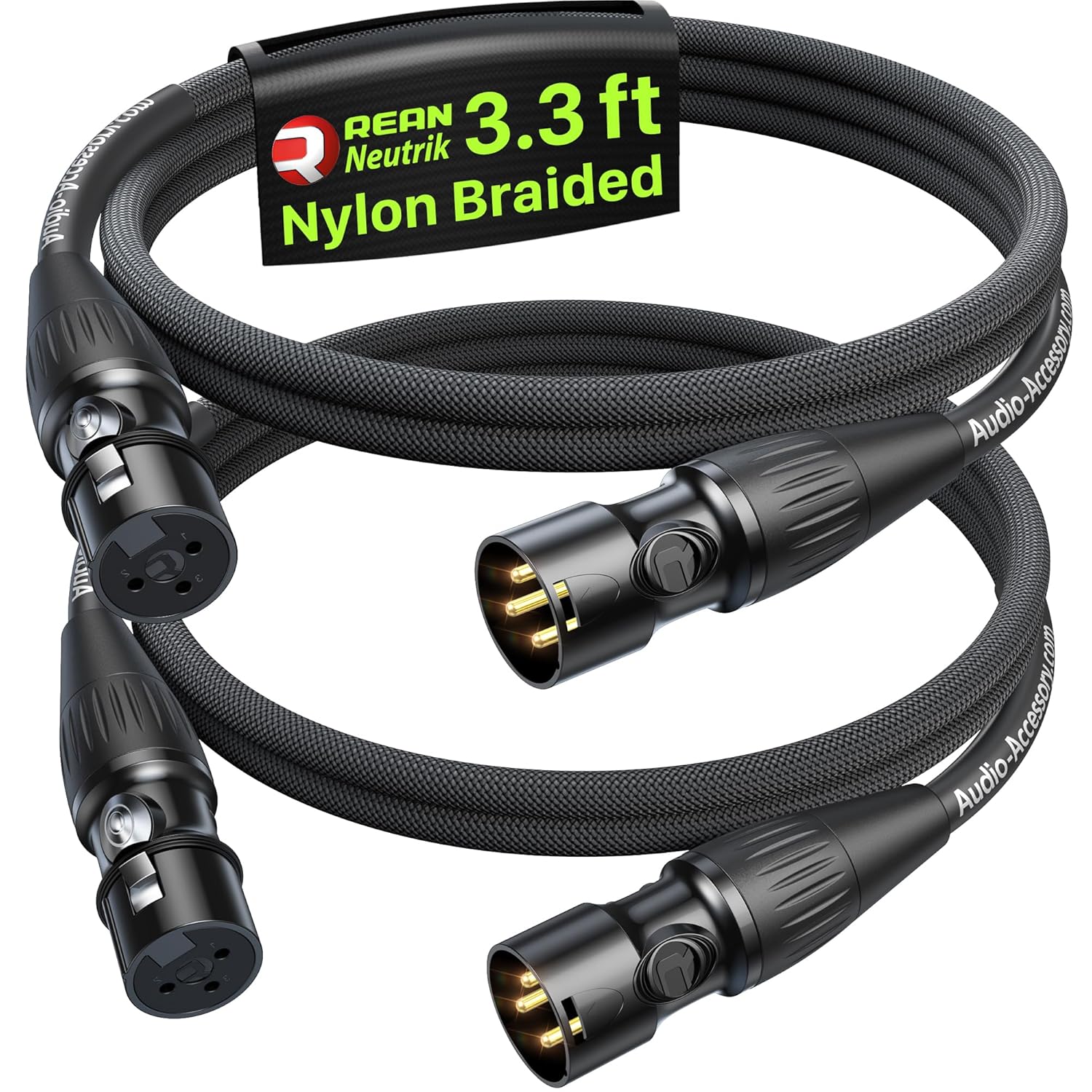
AA AUDIO ACCESSORY Short XLR Cables 3.3ft 2Pack
A 2-pack of 3.3 ft XLR cables with gold-pin Rean connectors, Kevlar-reinforced nylon braiding and a five-layer shielding structure, backed by a lifetime warranty.
- Cables in pack: 2
- Oxygen-free copper
- Shielded
- Length: 3 ft
- Lifetime warranty stated

FIBBR XLR Cable
A 6 ft nylon braided XLR cable with an oxygen-free copper conductor, multi-layer shielding and a metal spring design.
- Cables in pack: 1
- Oxygen-free copper
- Shielded
- Length: 6 ft

Ltemziiy XLR Cable 10ft 2 Pack
A 2-pack of 10 ft XLR cables with 22 AWG oxygen-free copper conductors, gold-plated 3-pin contacts and dual shielding.
- Cables in pack: 2
- Oxygen-free copper
- Shielded
- Length: 10 ft
These come from our ranked list Best XLR Cable for Microphone, which compares them spec by spec.
Frequently asked questions
Do I need phantom power for a Shure microphone?
It depends on the microphone. Dynamic Shure microphones do not need phantom power, while condenser microphones do, so check if your microphone is dynamic or condenser before you switch 48V on.
What cable connects a Shure microphone to a mixer?
A 3-pin XLR to XLR cable with a female plug on the microphone end and a male plug on the mixer end. Lengths here run from 3.3 ft to 15 ft, so pick a length that reaches your mixer without excess cable on the floor.
Why does my Shure microphone sound quiet after I connect it?
The input gain is probably too low, so raise it slowly while you speak into the microphone. Check that the cable is seated at each end, that the channel is not muted, and that you are speaking into the front of the microphone.
Can I connect a Shure microphone straight to a computer?
Only if the microphone has a USB output.
Ranked XLR cables lists
More how-to guides
Product details come from each Amazon listing and can change. Check the listing before you buy.