Acoustic Amp Settings Explained
Updated Nov 13, 2026 · By  Jonah Mercer · Editorial policy
As an Amazon Associate I earn from qualifying purchases. Buying through the Amazon links on this page costs you nothing extra. Full disclosure
For an acoustic amp, start with the volume down, the bass, mid, and high knobs near the middle, and no effects on. Set the instrument channel and the microphone channel on their own volumes, then add reverb in a small amount. Raise the volume last, after the tone sits where you want it.
Start with volume down and EQ middle
Turn the volume down and set the bass, mid, and high knobs near the middle, with no effects on. Plug the guitar into the instrument channel and the microphone into the mic channel, if the amp has one. Play a few notes and listen for a clear sound before you change anything else.
Set each channel on its own volume
Two channels let you set the guitar and the microphone apart, with each channel on its own volume control. Set the instrument channel, then bring the microphone channel up until the voice sits in balance with the guitar. If one channel overpowers the other, turn that channel down a little.
Balance bass, mid, and high in steps
Keep the bass, mid, and high knobs near the middle and move one knob at a time in small steps, playing after each change. If the low notes overpower the high notes, turn the bass down a little. If the high notes stand out too much, turn the high down a little and raise the mid back toward the middle.
Add reverb and chorus in small amounts
Add one effect at a time, starting with reverb in a small amount. Bring in chorus or delay only after the reverb sits where you want it, and keep each effect low enough that the notes stay clear. If the effects cover the notes, turn the effect level down before you change the volume or the EQ.
Use headphones and Bluetooth when needed
Plug headphones into the headphone output when you need to keep the volume down. Stream music over Bluetooth to play along from a phone, and set the music level so it sits under the guitar rather than over it. Once the setting works, note the knob positions so you can return to them later.
What you need

Fender 100W Acoustic Guitar Amp with Bluetooth
A 100W amp with an 8-inch speaker, 2 channels for instrument or microphone, built-in Bluetooth, stereo SFX, and a 2-year warranty.
- Power: 100 W, the most here
- Speaker size: 8 in
- Bluetooth
- 2-year warranty stated
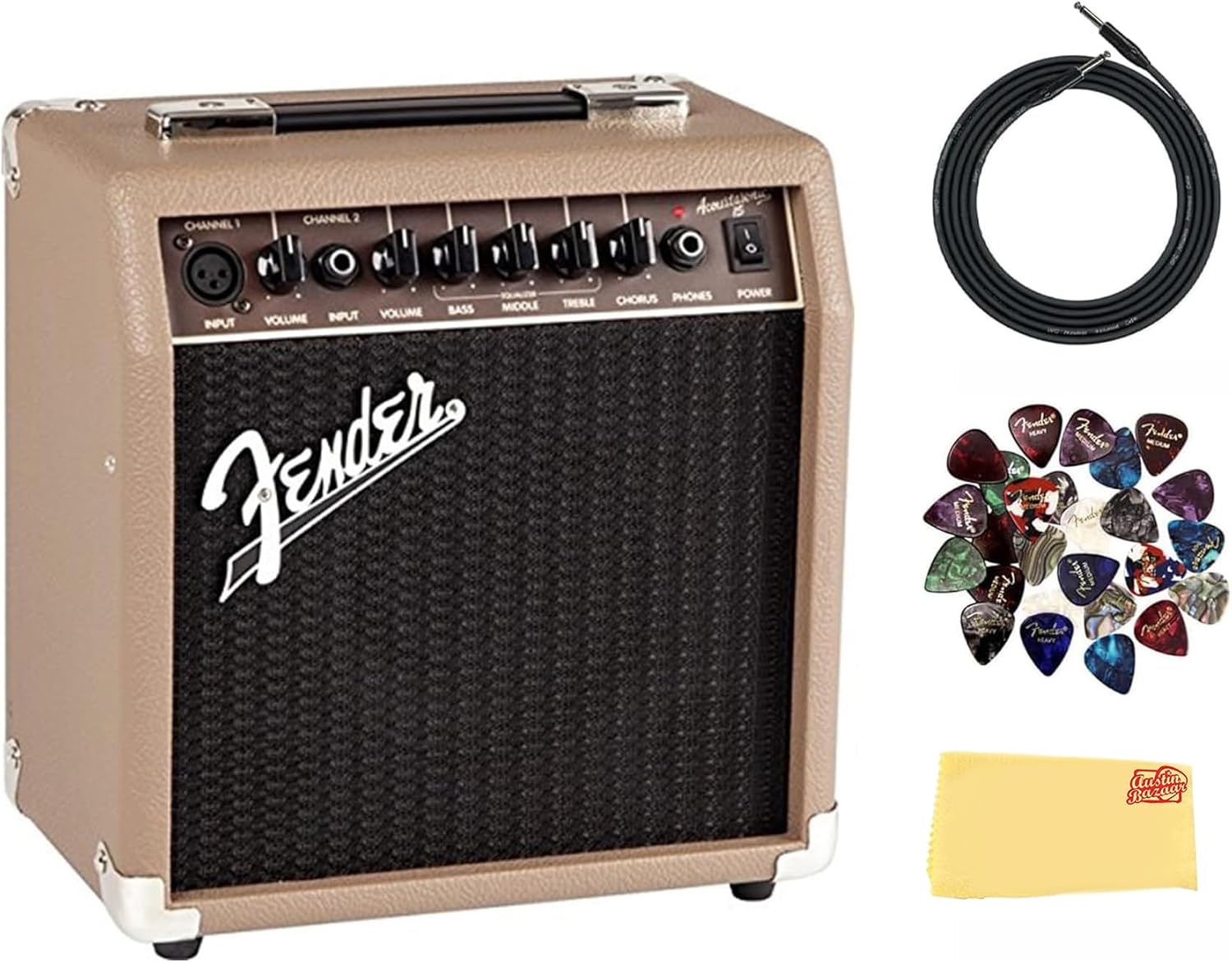
Fender Acoustasonic 15 Acoustic Guitar Amplifier Bundle
A 15W amp with a 6-inch speaker, 2 channels with independent volume control, a built-in chorus effect, and a headphone output.
- Power: 15 W
- Speaker size: 6 in

COOLMUSIC Acoustic Guitar Amplifier
A 20W amp with an 8-inch speaker, 2 channels, a 3-band EQ with bass, mid, and high, built-in reverb and chorus, and Bluetooth.
- Power: 20 W
- Speaker size: 8 in
- Bluetooth
- 3-year warranty stated

YUER BA-10Pro 10W Portable Acoustic Guitar Amp
A 10W portable amp with a 2-inch speaker, 2 inputs for guitar and dynamic microphone, reverb and delay, wireless 5.3, and a 4000mAh battery.
- Power: 10 W
- Speaker size: 2 in
- Mic input
- 12-month warranty stated
These come from our ranked list Best Acoustic Amp, which compares them spec by spec.
Frequently asked questions
What EQ settings work for an acoustic amp?
Start with bass, mid, and high near the middle and move one knob at a time in small steps. If the low notes overpower the high notes, turn the bass down a little, and if the high notes stand out too much, turn the high down a little.
Can I plug a microphone into an acoustic amp?
Yes, if the amp has a channel for a microphone. Plug the microphone into the mic channel and the guitar into the instrument channel, and set each channel's volume on its own.
Should I use reverb on an acoustic guitar?
Yes, in a small amount. Reverb adds space around the notes, so add it after the volume and EQ are set and keep it low enough that the notes stay clear.
Ranked acoustic guitar amps lists
More how-to guides
Product details come from each Amazon listing and can change. Check the listing before you buy.